
Video Session Recording Software
CCVSR
The Control Center Video Session Recorder (CCVSR) is ATEN´s innovative software designed to securely record the video and operation of computers accessed through KVM over IP Switches. The software automatically
Features
- Records user sessions from BIOS-level when users access ATEN KVM over IP switches and serial console servers locally1 or remotely
- Simultaneously records, streams and plays the operation of multiple KVM over IP Switches
- Supports high quality video recording – with video resolutions up to 4096 x 21602
- Logs keystrokes, mouse clicks, and audio operations during video recording sessions
- Proprietary video player with format and password-protected video export function for enhanced security
- LiveView function to provide live-video surveillance for direct monitoring the operations and changes made on servers or connected devices3
- Intuitive HTML5 user interface
- Continuous recording even without opening WinClient / JavaClient4
- Access control to grant or restrict user access with IP & MAC address filter, and configurable failed login attempts and lockout
- Configurable user and group permissions
- TLS v1.2 data encryption (AES-256 bit supported) and RSA 2048-bit certificates to secure user logins from browser
- Port level permissions – users can only view ports they have been authorized to access
- Easily search through captured sessions for incident investigation
- Advanced search by time, port name, and username for precise results
- Flexibility in saving recorded videos in local hard drives, secondary CCVSR servers, network attached storage (NAS) devices, or archive in Archive server
- Supports up to 3 secondary CCVSR servers for storage expansion, load balance, and service failover
- Supports self-signed certificates and certificates signed from third-party authorities (CA)
- Third-party remote authentication supports: RADIUS, LDAP, LDAPS and Active Directory
- Centralized role-based (super administrator & user) policy for user access privilege control
- System event notification via SMTP email, SNMP trap and Syslog support
- Supports device level event logs Note: 1. Available on specific models only, please check specification. 2. Compatible KVM with 4K support is required. 3. Up to 20 KVM sessions with resolution 1920x1080 or 4 KVM sessions with resolution 4096 x 2160 (Text Mode = On, Bandwidth = 1G, Scenario = Surveillance) can be recorded / streamed simultaneously when the hardware requirements are met (see the table below). Up to 64 KVM devices can be supported by one CCVSR. 4. CN9950, CN9850, CN9600, CN9000, CN8600, CN8000A, CN800, RCMDP101U, RCMHD101U, RCMDVI101, RCMVGA101, RCM101D, and RCM101A only.
Compatible Appliances
- KVM over IP switches
- Recordable via remote sessions or through the local console: KN2116VA, KN2124VA, KN2132VA, KN2140VA, KN4124VA, KN4116VA, KN4132VA, KN4140VA, KN4164V, KN8132V, KN8164V, KN2116VB, KN4016VB, KN2124VB, KN4024VB, KN1132VB, KN2132VB, KN4032VB, KN8032VB, KN4064VB, KN8064VB, CN8600, CN8000A, CN9000, CN9600, CN9950, CN9850, CN800, RCM101A, RCM101D, RCM464V, RCM816, RCM416, RCMDVI101, RCMVGA101, RCMDP101U, RCMDVI00AT, RCMDVI40AT, RCMDVI50T, RCMHD101U, RCMDVI00BT, RCMDVI40BT, KE6900AiT*, KE6940AiT*. * Please check CCVSR user manual for the limitation. Recordable via remote sessions: KL1108V, KL1116V, KN1108v, KN1116v, KN1132V, KN1108VA, KN1116VA, KN2116v, KN2124v, KN2132v, KN2116A, KN2132, KN2140v, KN4116, KN4116v, KN4124v, KN4132, KN4132v, KG0016, KG0032.
- Serial console servers
- SN1116CO, SN1132CO, SN1148CO, SN0108CO, SN0116CO, SN0132CO, SN0148CO, SN9108CO, SN9116CO, SN0108A, SN0116A, SN0132, SN0148, SN9108, SN9116.
- Authentication & Authorization
- Supports local user accounts, LDAP, and RADIUS. Role-based (Super Administrator, Administrator, User) policy for access privilege control.
- Security
- IP and MAC address blocking. Configurable failed login attempts and lockout. Support certificate self-signed or signed from third-party authorities (CA). Secure web connection with TLS v1.2 and RSA 2048-bit certificates. Strong user password authentication. Configurable user session timeout. Configurable login page URL
Video
- Supported Resolutions
- Up to 4096 x 2160 Proprietary video format
- Recording Storage
- Recorded videos can be saved in: - Local storage - Secondary CCVSR server - Network shared folder Recorded videos can be archived to: - Archive server
- Playback
- Java player: - Password protected videos - Video export - Display recorded keystrokes and mouse clicks Advanced search with a variety of criteria
- Notification
- SMTP SNMP Trap (v1, v2c) Syslog
- Logs
- System logs. Device logs.
- Service Failover
- Primary/secondary architecture. 1 primary with maximum 3 secondary servers.
- Supported OS
- Windows: 7, 8, 10, 11, server 2012, or server 2016 Linux: Ubuntu 16.04, CentOS 7, Fedora 24, Debian 8.8 *JAVA Runtime Environment (JRE) 1.7 Update 6 or higher is required in above OS.
- Supported Browsers
- Chrome, Firefox, Microsoft Edge.
- Multilingual Support
- English, 繁體中文, 简体中文, 日本語, 한국어.
- Others
- Online user management.
License
- Basic (free)
- 1 Primary/1 Nodes.
- USB License Options
- CCVSR8 (8 Nodes). CCVSR16 (16 Nodes). CCVSR32 (32 Nodes). CCVSR64 (64 Nodes). CCVSR128 (128 Nodes). CCVSR256 (256 Nodes). CCVSR512 (512 Nodes). CCVSR1024 (1024 Nodes). CCVSR2048 (2048 Nodes).
- System Add-ons
- CCVSRN1 (Add-on 1 Node). CCVSRN8 (Add-on 8 Nodes). CCVSRN16 (Add-on 16 Nodes). CCVSRN32 (Add-on 32 Nodes). CCVSRN64 (Add-on 64 Nodes). CCVSRN128 (Add-on 128 Nodes). CCVSRN256 (Add-on 256 Nodes). CCVSRN512 (Add-on 512 Nodes). CCVSRN1024 (Add-on 1024 Nodes). CCVSRN2048 (Add-on 2048 Nodes). CCVSRAS1 (Archive Server License)
- Minimum Hardware Requirements
- To record & stream 20 video sessions: Server Hardware Requirements: - CPU: Intel Xeon D-1527 4 cores 2.2 GHz or equivalent - Memory: 8GB or more - HDD (for CCVSR): 4GB or more - Network: 1Gbps Client Hardware Requirements: - CPU: Intel Core i5-7600 4 cores 3.5 GHz or equivalent - Memory: 6GB or more - Network: 1Gbps
- Package Contents
- 1x CCVSR USB License Key 1x Software CD 1x User Instructions
Firmware
Similar products
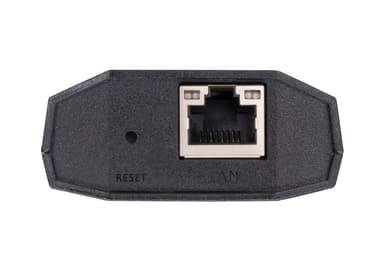
CN800
USB VGA KVM over IP Mini
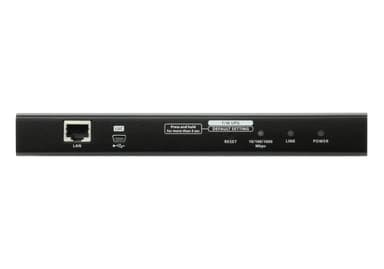
CN8000A
1-Local/Remote Shared Access Single Port VGA KVM over IP Switch
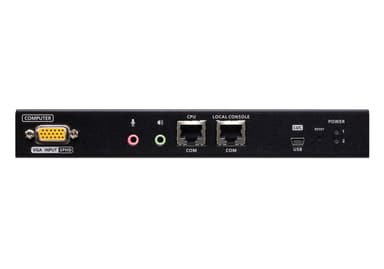
CN9000
1-Local / Remote Shared Access Single Port VGA KVM over IP Switch
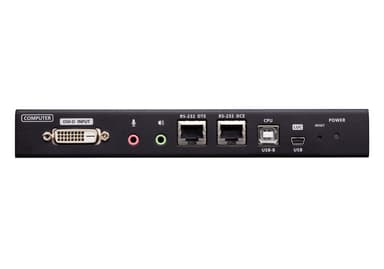
CN9600
1-Local/Remote Share Access Single Port DVI KVM over IP Switch
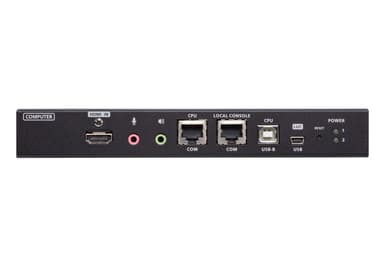
CN9850
1-Local / Remote Shared Access Single Port 4K HDMI KVM over IP Switch
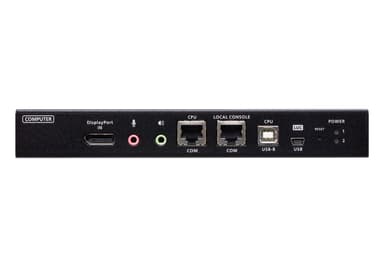
CN9950
1-Local/Remote Share Access Single Port 4K DisplayPort KVM over IP Switch
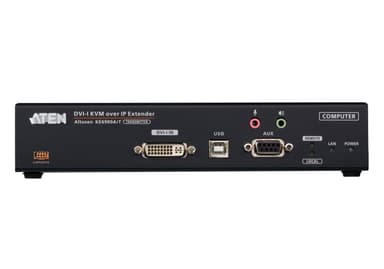
KE6900AIT
DVI-I Single Display KVM over IP Transmitter with Internet Access
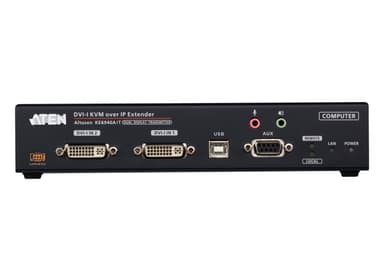
KE6940AIT
DVI-I Dual Display KVM over IP Transmitter with Internet Access
KG0016
DigiKVM 16-Port KVM over IP Switch
KG0032
DigiKVM 32-Port KVM over IP Switch
KL1108V
1-Local/1-Remote Access 8-Port Multi-Interface Cat 5 Dual Rail LCD KVM over IP Switch
KL1116V